
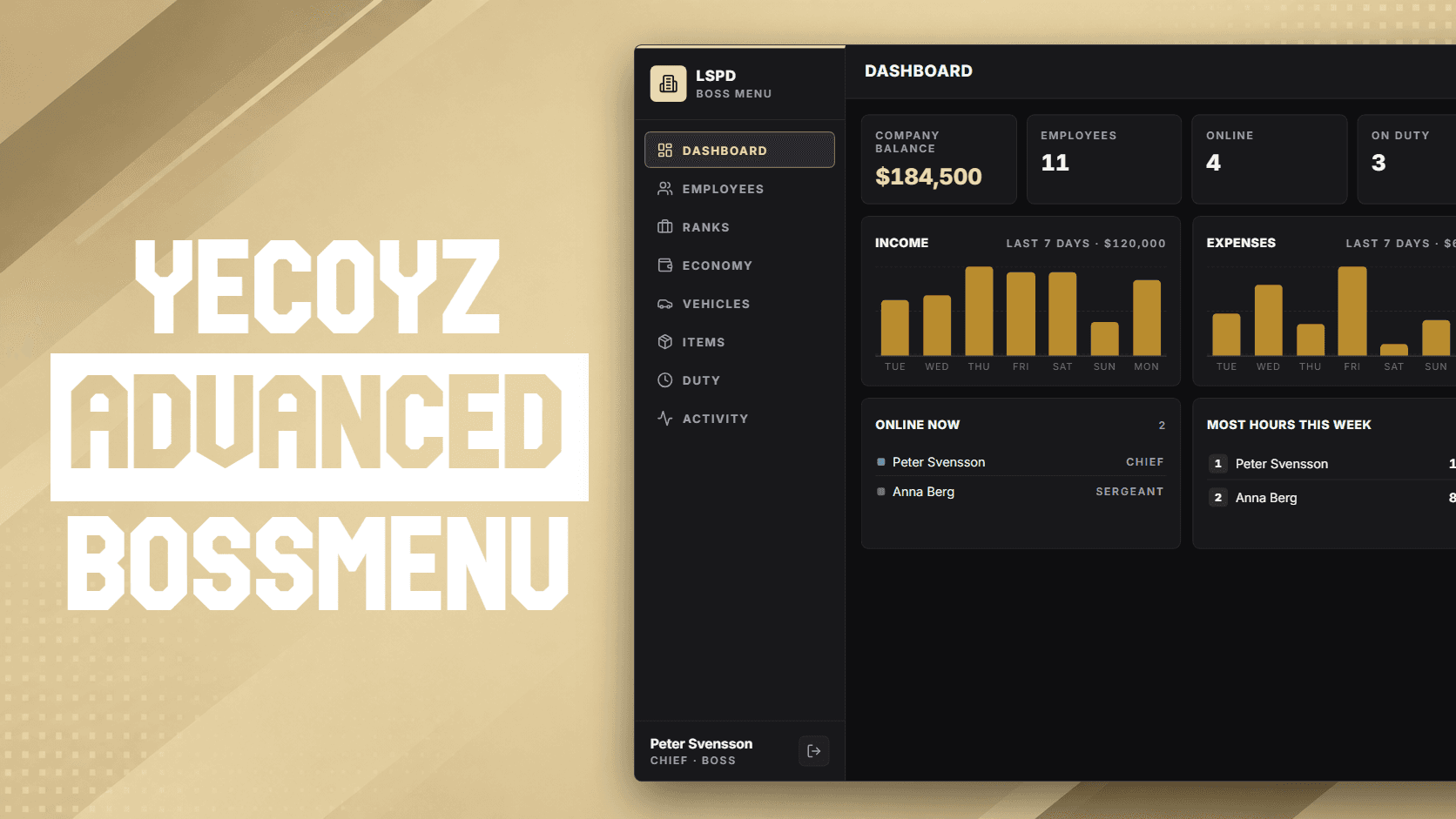
Features
10 highlights- Used on the monitor itself: the camera moves in and the menu runs on the screen
- Hire players nearby, fire, promote and give personal salaries and bonuses
- Create, rename, reorder and delete ranks and change their salaries, online and offline
- Give single employees parts of the menu, like only hiring or only vehicles
- Buy work vehicles into the job garage: zyke_garages, jg-advancedgarages, qb-garages, qbx_garages and esx_garage
- Buy work items like radios, armour and weapons straight into the inventory
- Company account with deposits, withdrawals, history and a dashboard
- yecoyz_duty statistics and shift management built in
- Set up every job in game: computers, vehicle and item shops with your own pictures, pages and rank access
- Every feature can be turned off in the config
Description
Yecoyz Boss Menu is a free, open-source FiveM boss menu for ESX, QBCore and Qbox. Instead of a flat menu it runs on a computer in the world: walk up to the monitor, the camera moves in and the boss menu is used right on the screen.
What you get
- Staff management: hire players standing near the computer, fire, promote and demote, with rank rules so nobody manages someone above them.
- Ranks: create, rename, reorder and delete ranks and set their salaries. Offline employees keep their rank when the order changes.
- Salaries and bonuses: a personal salary for one employee on top of the rank salary, and one-time bonuses from the company account.
- Access: give single employees or whole ranks parts of the menu, for example only hiring or only buying vehicles.
- Work vehicles: bosses buy vehicles with company money, straight into the job garage of zyke_garages, jg-advancedgarages, qb-garages, qbx_garages or esx_garage, or spawned at the computer.
- Work items: buy radios, armour, weapons or any other item with company money, straight into the inventory. Each job has its own list.
- Economy: the company balance, deposits, withdrawals, transaction history and a dashboard.
- Duty: hours and shifts from yecoyz_duty, with editing, adding and ending shifts.
- Creator: one admin window for every job. Place its computers and vehicle spawns, set up its vehicle and item shop with prices, ranks and your own pictures, turn pages on or off and pick what each rank gets. No coordinates to copy, no config to edit.
Every feature can be turned off in the config, and every action is checked again on the server.
Requirements
oxmysql and yecoyz_core 1.3.0 or newer, plus ESX, QBCore or Qbox. Setup takes a few minutes, see the installation docs.
FAQ
Is Yecoyz Boss Menu really free?
Yes. It is free and the source is open on GitHub. Download the latest release and drop it in your resources folder.
Which frameworks does it support?
ESX (including ESX Legacy), QBCore and Qbox.
What do I need to run it?
oxmysql and yecoyz_core 1.3.0 or newer, started before yecoyz_bossmenu.
Which garage scripts work with the vehicle shop?
zyke_garages, jg-advancedgarages, qb-garages, qbx_garages and esx_garage. Vehicles go to the job's work garage, or to the buyer's own garage if you prefer. Without a garage script they are saved in the framework's vehicle table or spawned at the computer.
Which company account does it use?
The one your server already has: esx_addonaccount, Renewed-Banking, qb-banking or qb-management, found by yecoyz_core. Without one, yecoyz_core keeps its own account table.
Can I turn off parts of it?
Yes. Hiring, firing, ranks, salaries, bonuses, personal salaries, access, vehicles, items, economy, the dashboard and the duty page can each be turned off in the config.
Can I open it without a computer?
Yes. Set a command in the config, or open it from your own script with the OpenBossMenu export.
Where do I get support?
Join the Yecoyz Discord and open a ticket.